
AI Agent Setups for Business Teams
Department-specific AI agents and assistants for Finance, HR, Marketing, Customer Support, Sales, Operations, and Software Development.
AI Workflow Automation
We design and build tool-connected AI workflows that help teams automate repetitive work, coordinate information across systems, and support faster decisions with human oversight, secure integrations, and production-ready architecture.
Practical automation
Many teams lose time moving data between tools, answering repeated questions, preparing reports, checking inboxes, updating spreadsheets, and coordinating routine decisions. Cognivox Labs helps businesses turn these repetitive workflows into structured automations and AI-assisted systems that work across existing tools while keeping people in control.
Business tools
AI-assisted step
Human approval
Controlled action
Audit and feedback
Business automation
Department-specific AI agents and assistants for Finance, HR, Marketing, Customer Support, Sales, Operations, and Software Development.
Automations that connect emails, forms, CRMs, spreadsheets, databases, support tools, calendars, documents, and internal platforms.
AI assistants that can search knowledge, draft responses, summarize data, update systems, create tasks, trigger workflows, and support team operations.
Ticket triage, reply drafting, knowledge retrieval, escalation routing, conversation summaries, CRM updates, and support quality workflows.
Lead enrichment, outreach workflows, content repurposing, campaign reporting, CRM updates, meeting preparation, and follow-up workflows.
AI-assisted development workflows, internal engineering assistants, issue triage, release notes, QA support, documentation updates, and operational reporting.
Department workflows
Invoice processing support, expense categorization, payment reminders, financial report preparation, variance explanations, and document review workflows.
Candidate screening support, onboarding workflows, policy Q&A, document preparation, employee request triage, and internal knowledge assistance.
Content planning, campaign research, social post drafting, repurposing workflows, performance summaries, and brand-consistent content operations.
Ticket classification, response drafting, knowledge-grounded answers, escalation detection, customer history summaries, and support analytics.
Lead qualification, CRM updates, account research, meeting briefs, proposal support, follow-up drafting, and pipeline reporting.
Issue triage, codebase assistance, release note generation, documentation workflows, test planning, and developer productivity support.
Task routing, status updates, process monitoring, vendor coordination, internal approvals, reporting, and exception handling.
Engineering and controls
Design workflows where AI agents can reason through multi-step tasks, use tools, call APIs, retrieve information, and ask for human approval when needed.
Build reliable workflow automations using tools such as n8n, Zapier, OpenClaw, APIs, webhooks, schedulers, queues, and custom backend services.
Connect OpenAI, Anthropic Claude, Gemini, open-source models, RAG systems, databases, CRMs, email tools, calendars, spreadsheets, and internal systems.
Add approval steps, review queues, confidence thresholds, escalation paths, audit logs, and manual override options for safer automation.
Give agents access to company knowledge, documents, customer records, policies, task history, and structured business data.
Track workflow runs, errors, cost, latency, user feedback, automation impact, and opportunities for improvement.
Tools chosen for the workflow
The right automation stack depends on the workflow, risk level, budget, systems, and team maturity. We choose practical tools instead of forcing every project into the same setup. The products below are examples, selected according to project needs.
n8n, Zapier, custom workflow engines, background jobs, schedulers, webhooks, and API-based automations.
OpenAI, Anthropic Claude, Gemini, Claude Cowork, OpenClaw, LangChain, LangGraph, CrewAI, and custom agent orchestration where appropriate.
Google Workspace, Microsoft 365, Slack, Notion, Airtable, CRMs, support platforms, databases, payment systems, email, calendars, and internal tools.
RAG pipelines, vector search, semantic search, document ingestion, metadata filtering, and knowledge-grounded responses.
Cloud hosting, Docker-based deployments, logging, monitoring, secrets management, permissions, approval flows, and audit trails.
Good fit
Process
We identify the real process, users, tools, decisions, exceptions, approval points, and success criteria.
We separate simple automation, AI-assisted steps, human approval steps, and tasks that should stay manual.
We define the agents, tools, APIs, prompts, permissions, data access, memory, context, and fallback behavior.
We implement automations using n8n, Zapier, APIs, webhooks, backend services, AI models, RAG systems, or custom orchestration where needed.
We test outputs, edge cases, permissions, approval flows, data handling, failure modes, and human review points.
We monitor usage, errors, costs, time saved, user feedback, and workflow performance, then improve the system over time.
Applied patterns
Classify incoming tickets, retrieve relevant knowledge, draft replies, assign priority, and route complex cases to the right person.
Collect data from multiple systems, summarize performance, identify changes, and prepare a report for review.
Enrich leads, summarize company context, draft personalized outreach, update CRM fields, and create follow-up tasks.
Extract document information, classify invoices, check missing data, prepare summaries, and route items for approval.
Turn long-form content into social posts, newsletters, summaries, campaign ideas, and publication tasks.
Summarize issues, draft implementation notes, prepare changelogs, update documentation, and support internal engineering workflows.
Selected automation work
Published work covering customer support automation, AI-assisted products, semantic systems, and operational improvement.
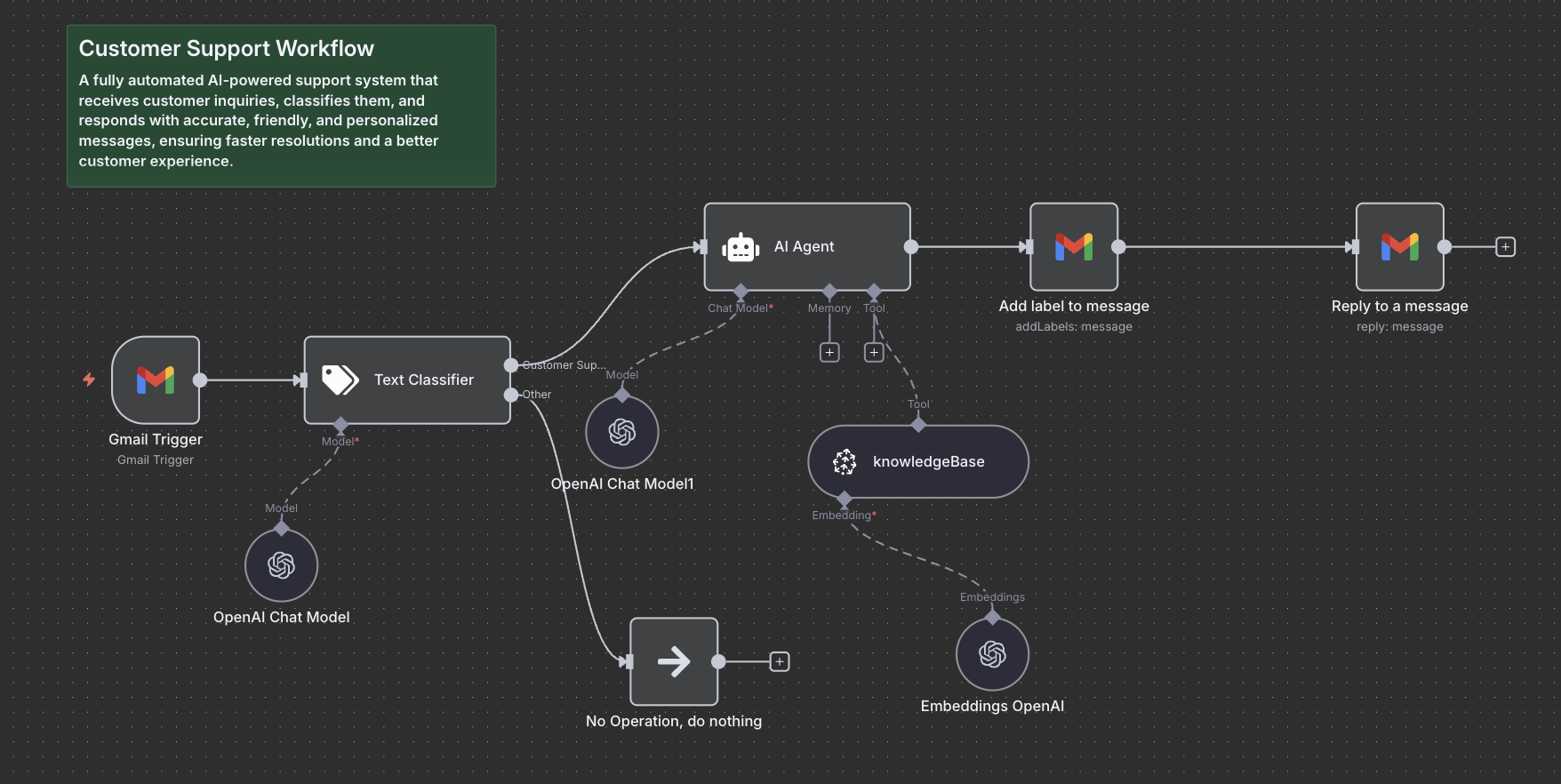
AI automation · Customer support
An AI-first customer support workflow that automatically receives, classifies, and drafts replies to incoming customer inquiries - reducing response time and ensuring brand-consistent messaging.
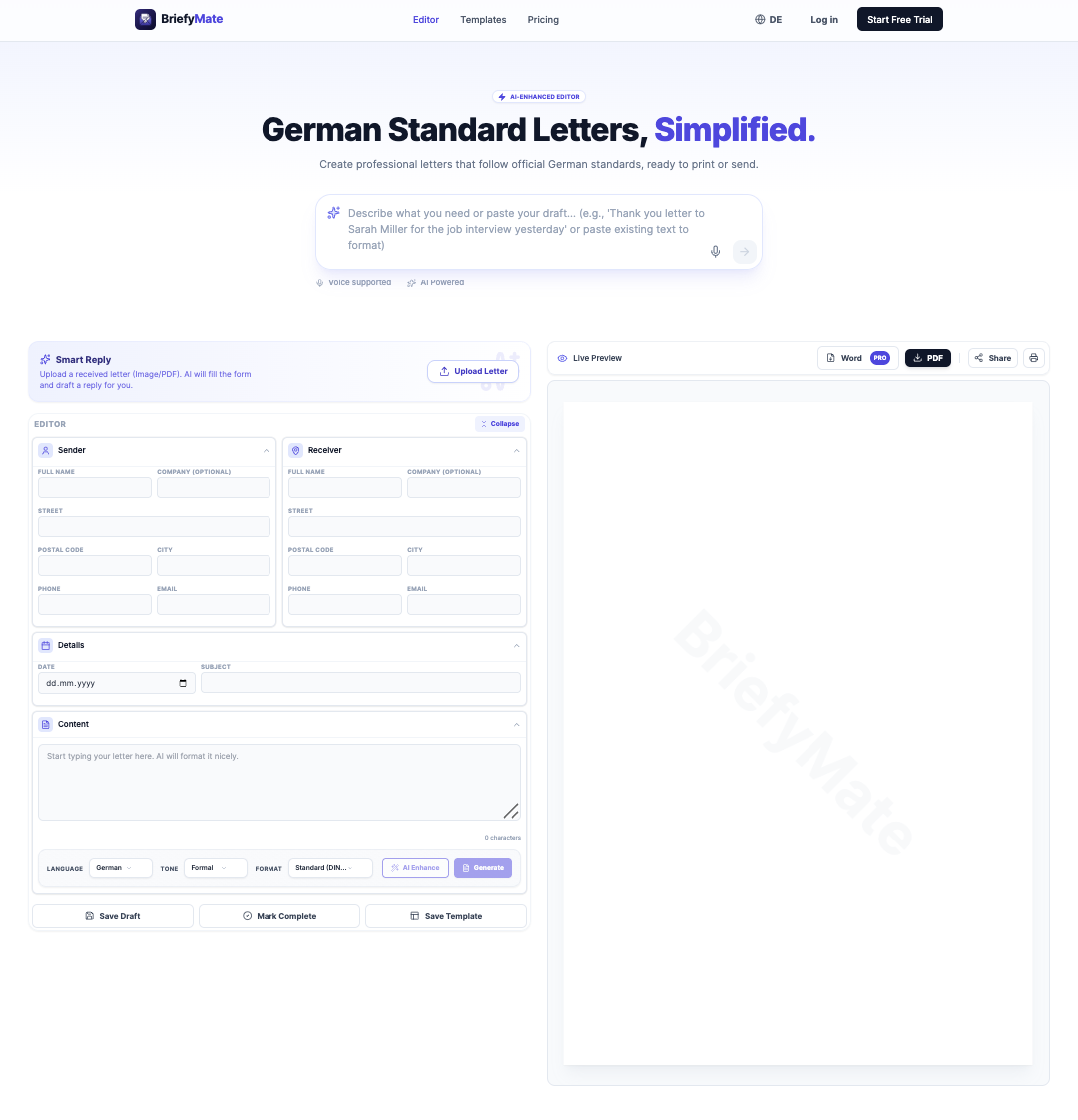
SaaS product · AI document automation · German market
BriefyMate is an AI-powered SaaS product that helps users create structured German standard letters more quickly, with a focus on practical document generation and a clean user experience.
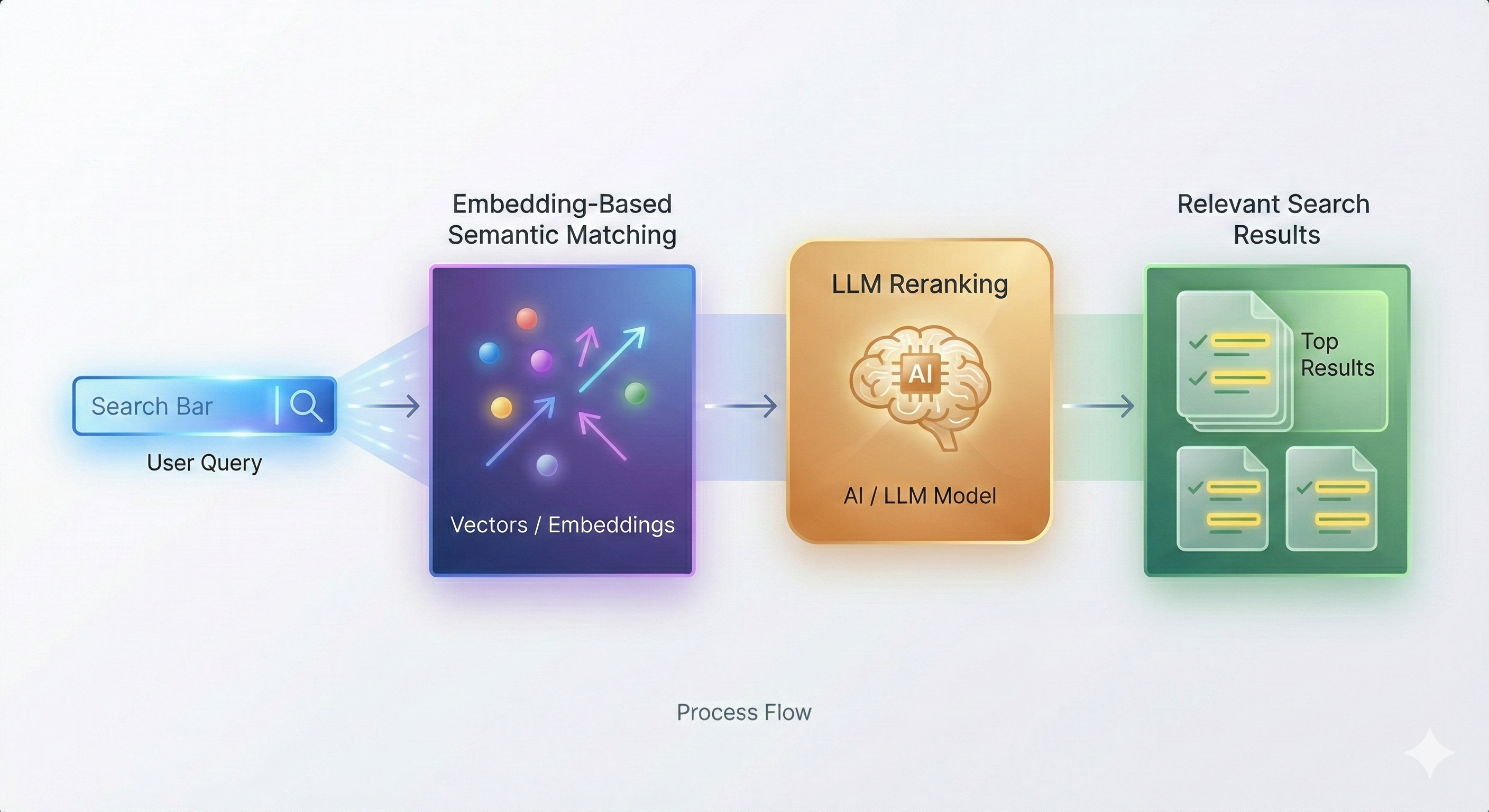
AI engineering · Backend integration · Production automation
How Cognivox Labs engineered a Python-based semantic matching system and integrated it into a Laravel production platform with automatic triggers, background workers, secure service communication, and zero-downtime deployment.
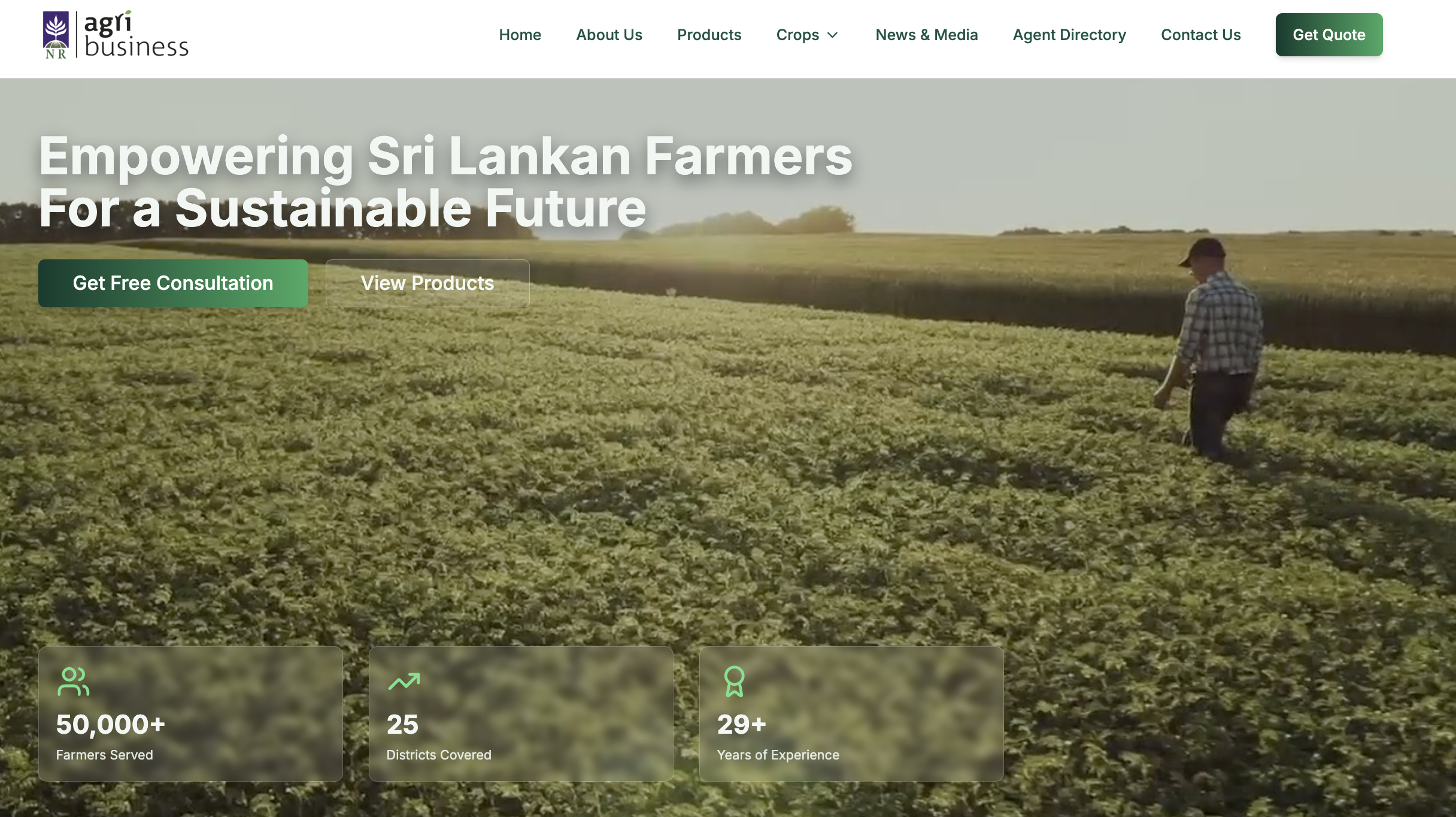
Agriculture · Fertilizer distribution · Digital transformation
Turning a mid-sized fertilizer company into a fully digital business ecosystem - website, AI chatbot, automation, and business operations in one unified system.
Let’s identify the right automation opportunities, design safe agentic workflows, and connect AI with the tools your team already uses.